Get Allarise

Wake up
smarter.

Your alarms shouldn't just wake you up. They should wake up your whole house.

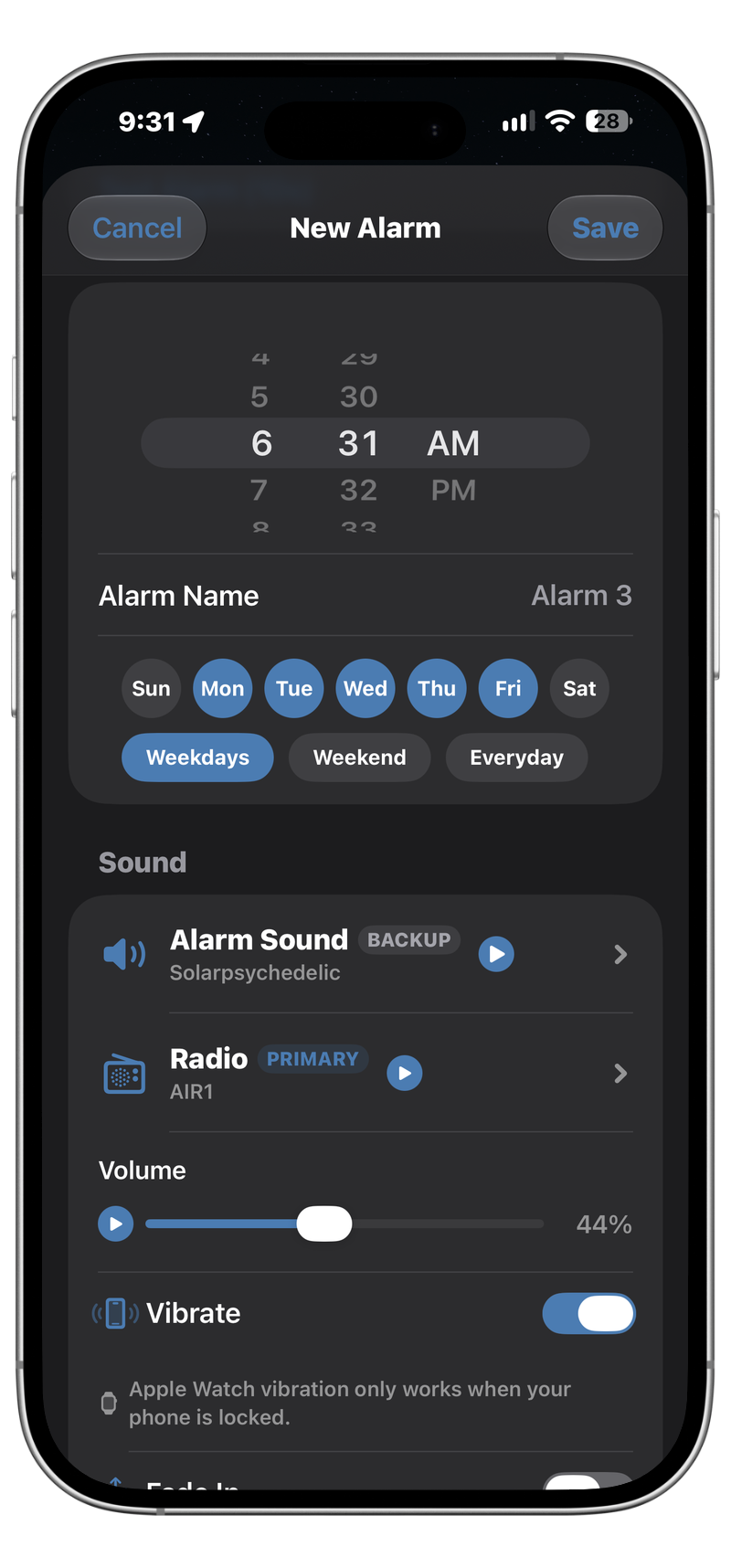
Allarise syncs with Home Assistant so your lights, routines, and automations can respond when your alarm goes off. Wake up to a house that's already moving with an alarm that makes sure you are too. Stop oversleeping with built-in missions like math and shake, or bring some fun to even the earliest mornings with interactive games.

There are NO annoying ads to get in the way of waking up, and Allarise is free to use without restrictions!

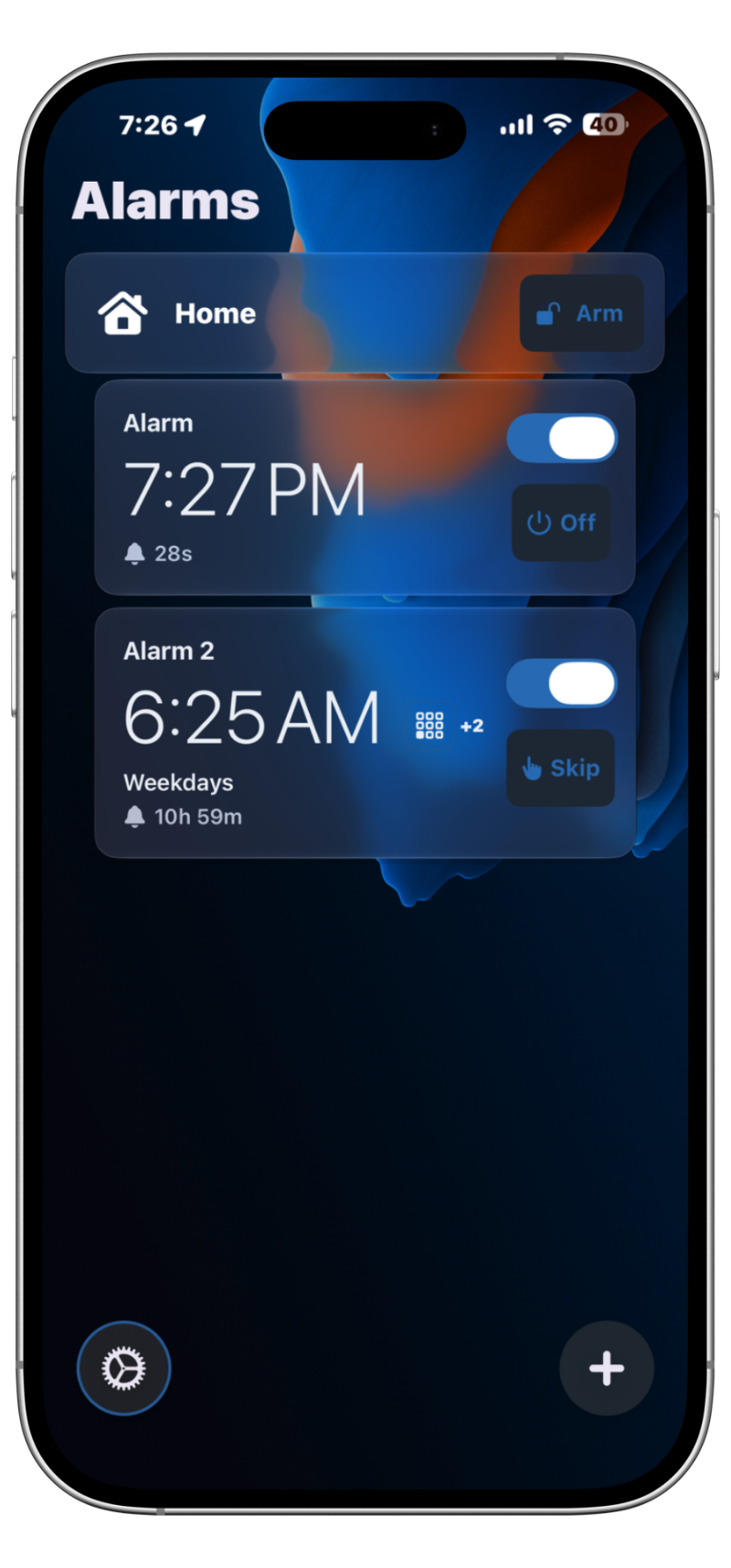
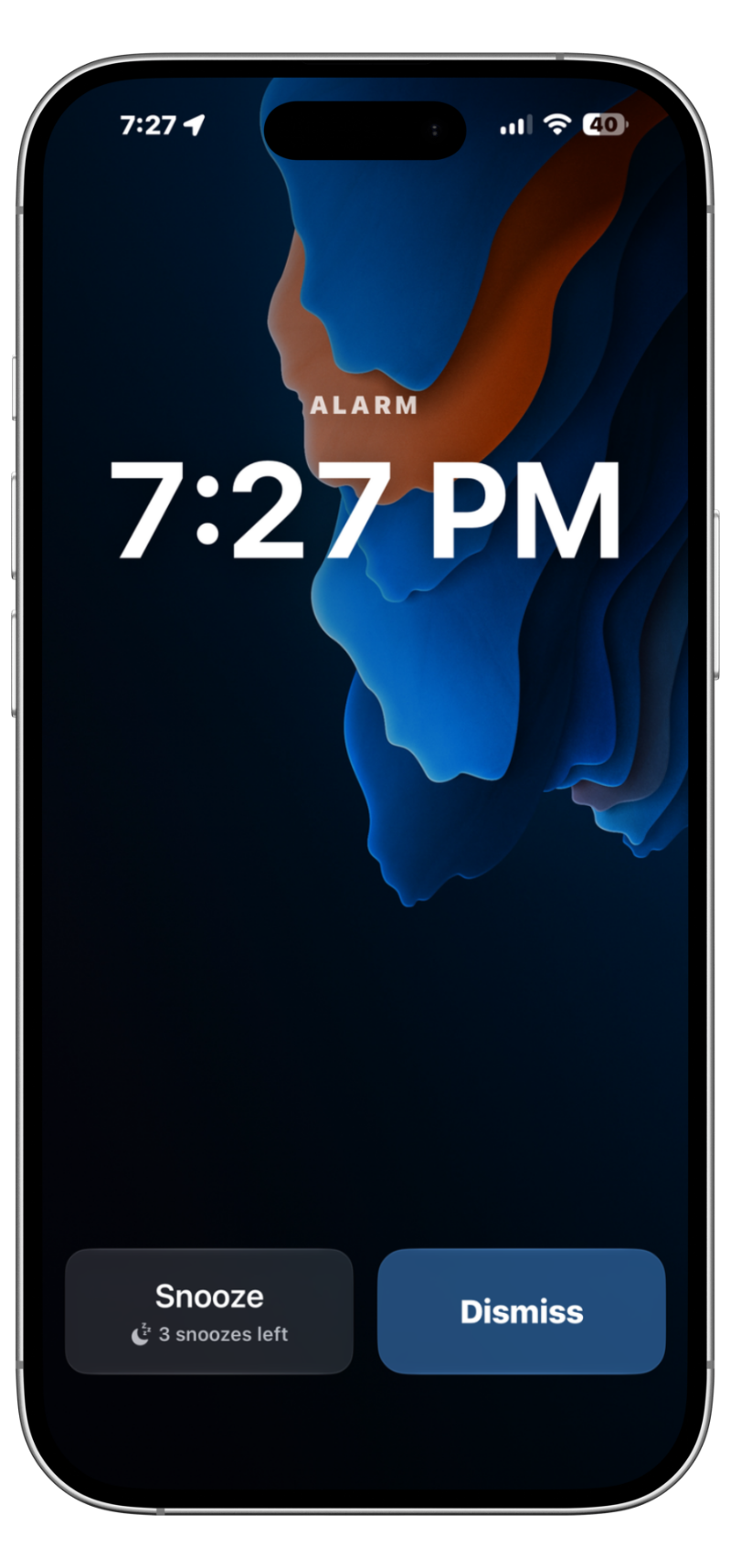
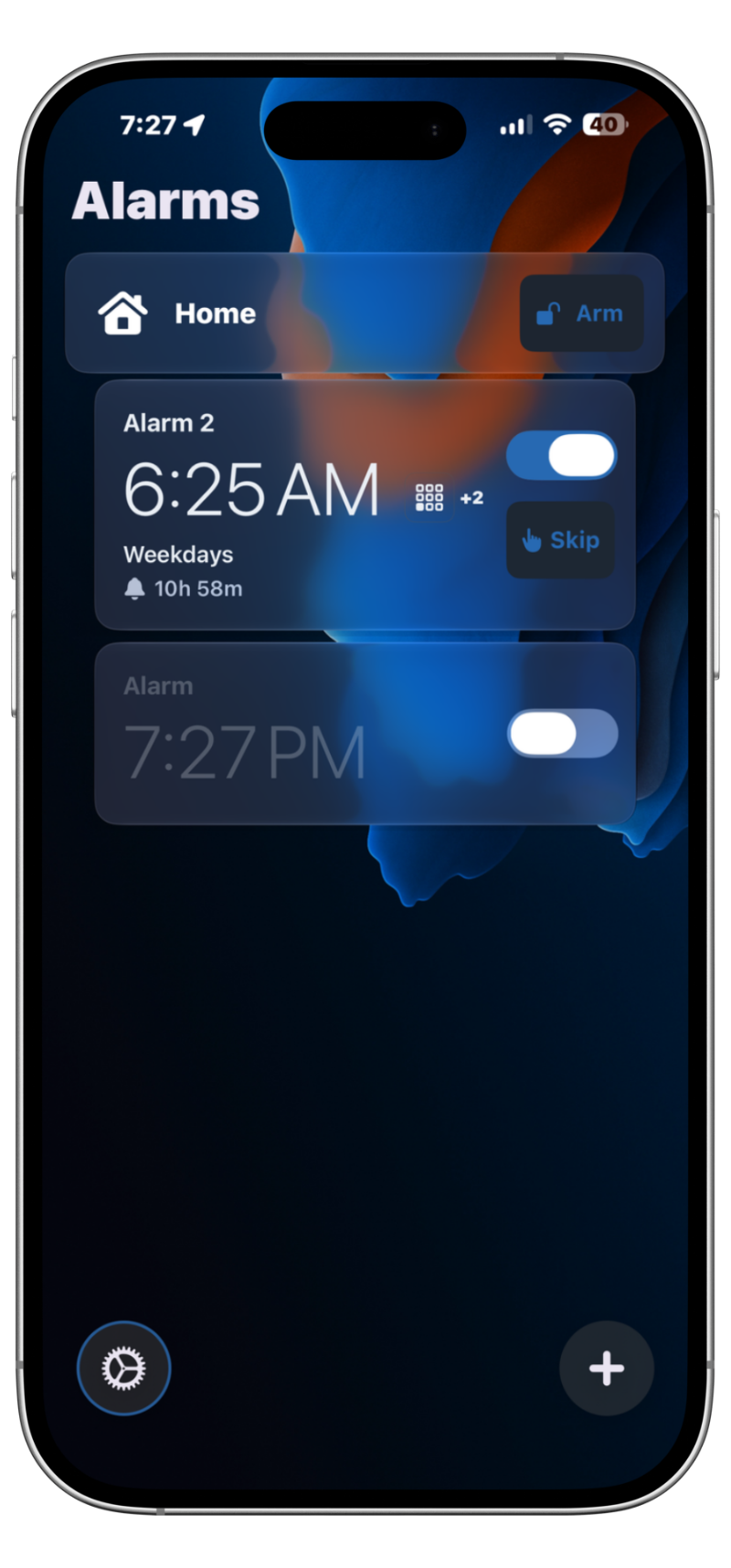
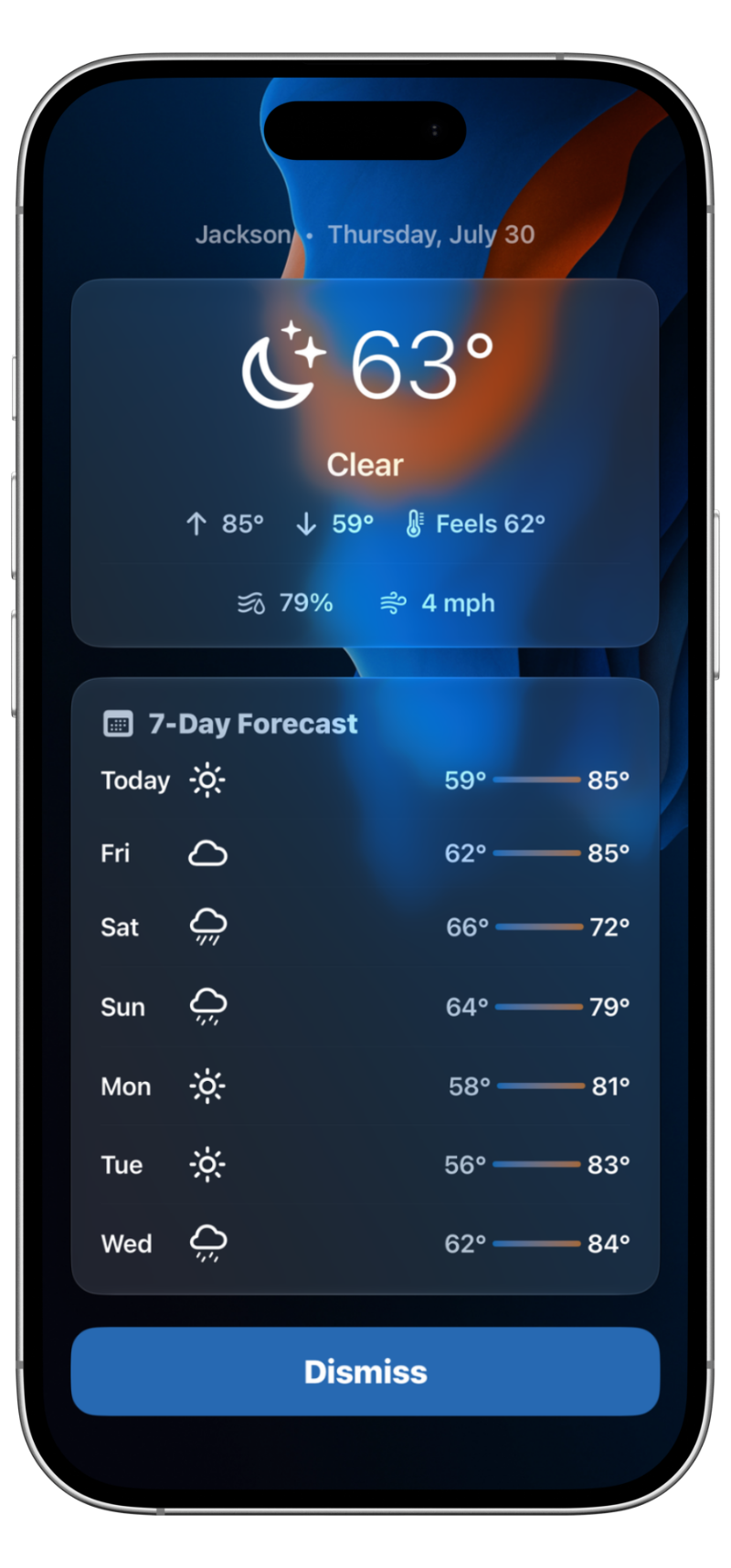
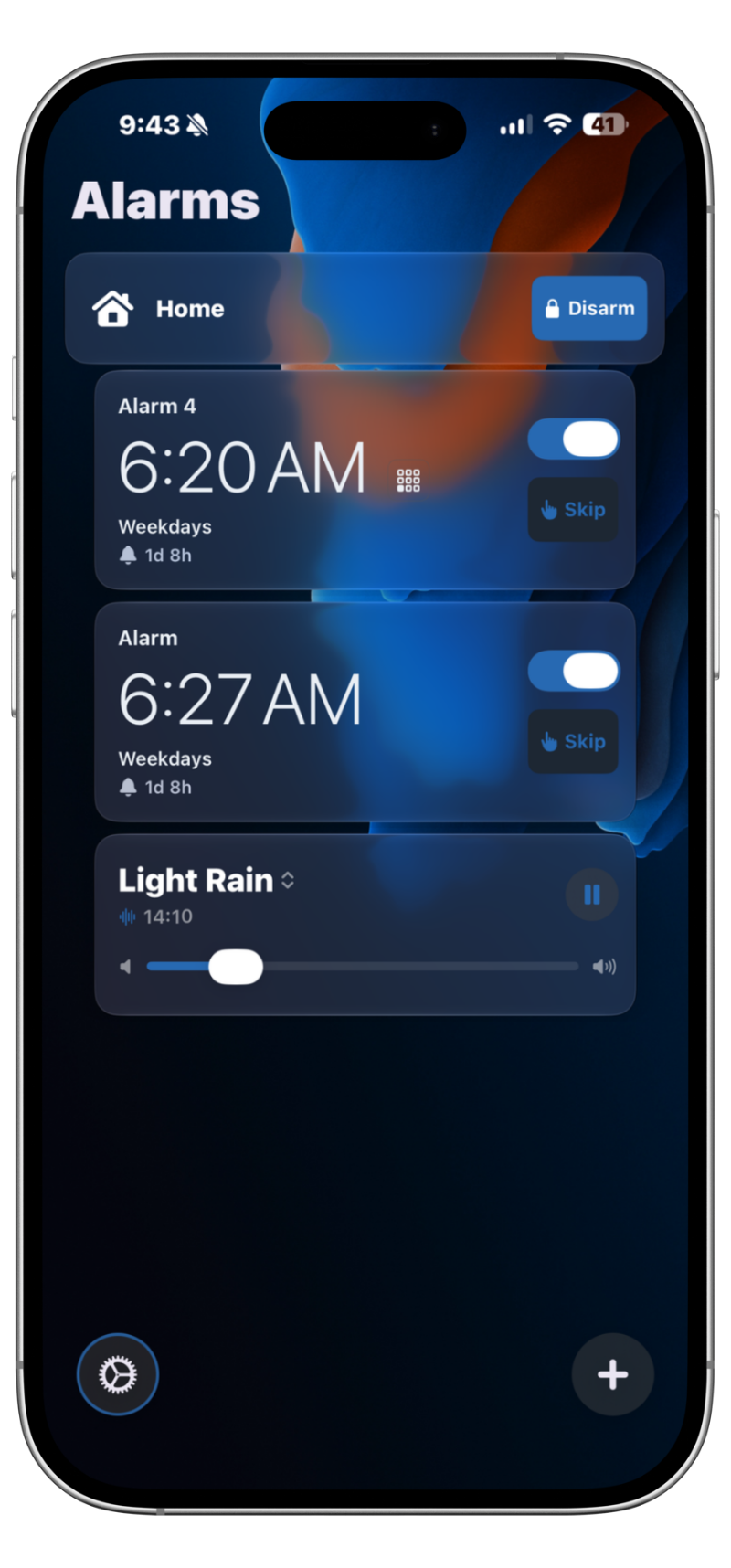
Allarise alarm list, next alarm about to fire Allarise alarm ringing with snooze and dismiss Allarise alarm list after the alarm is dismissed
What Allarise has to offer

Get

Rich Home Assistant Features

Everything Allarise exposes to Home Assistant.

SensorsAlarm state, next fire time, snoozes left, and what is playing. Fire times are real timestamps, allowing you to run automations before the alarm sounds.
Per-Alarm PagesTarget one alarm directly. Every alarm has its own HA page with its own sensors, buttons, and switches.
ButtonsDismiss, snooze, skip or un-skip an alarm without touching the phone.
SwitchesEnable or disable an alarm from within HA.
Create Alarms from HAServices to create, update and delete alarms, plus one-shot Quick Alarms.
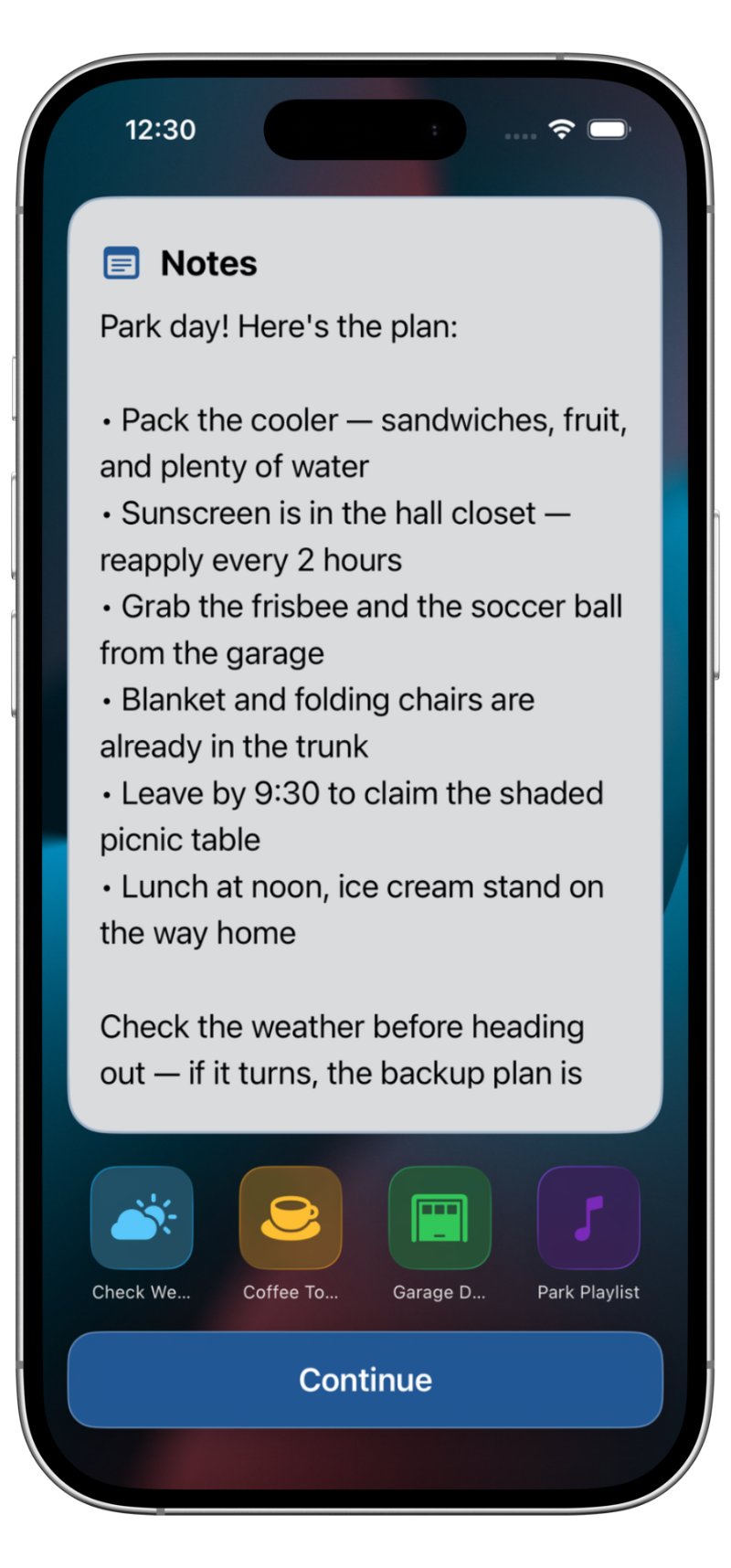
Alarm NotesAdd notes to an alarm from Home Assistant that greet you on screen after the alarm is dismissed.
AlertsAny automation (a message, a sound, TTS, or your own audio) can push an alert card to the phone.
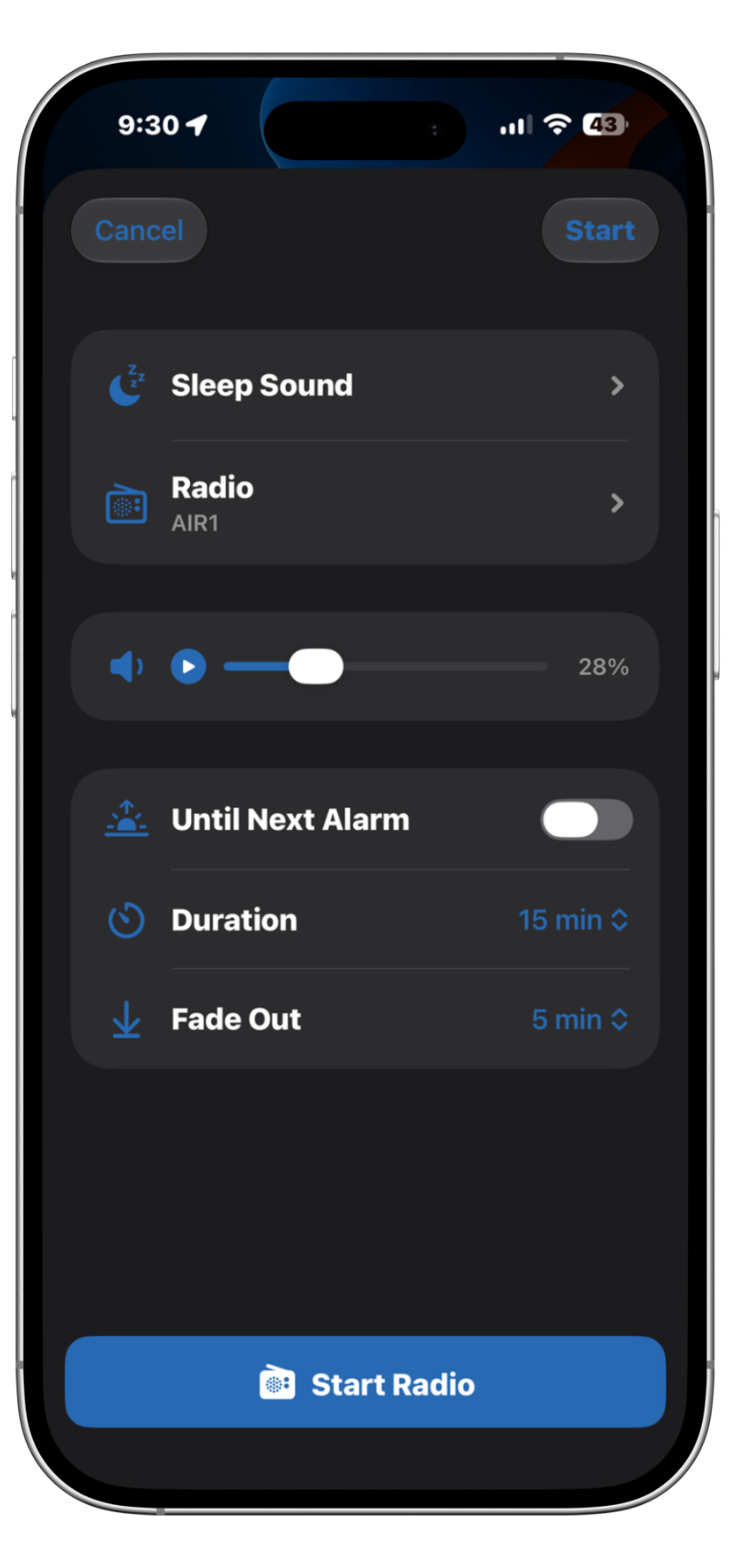
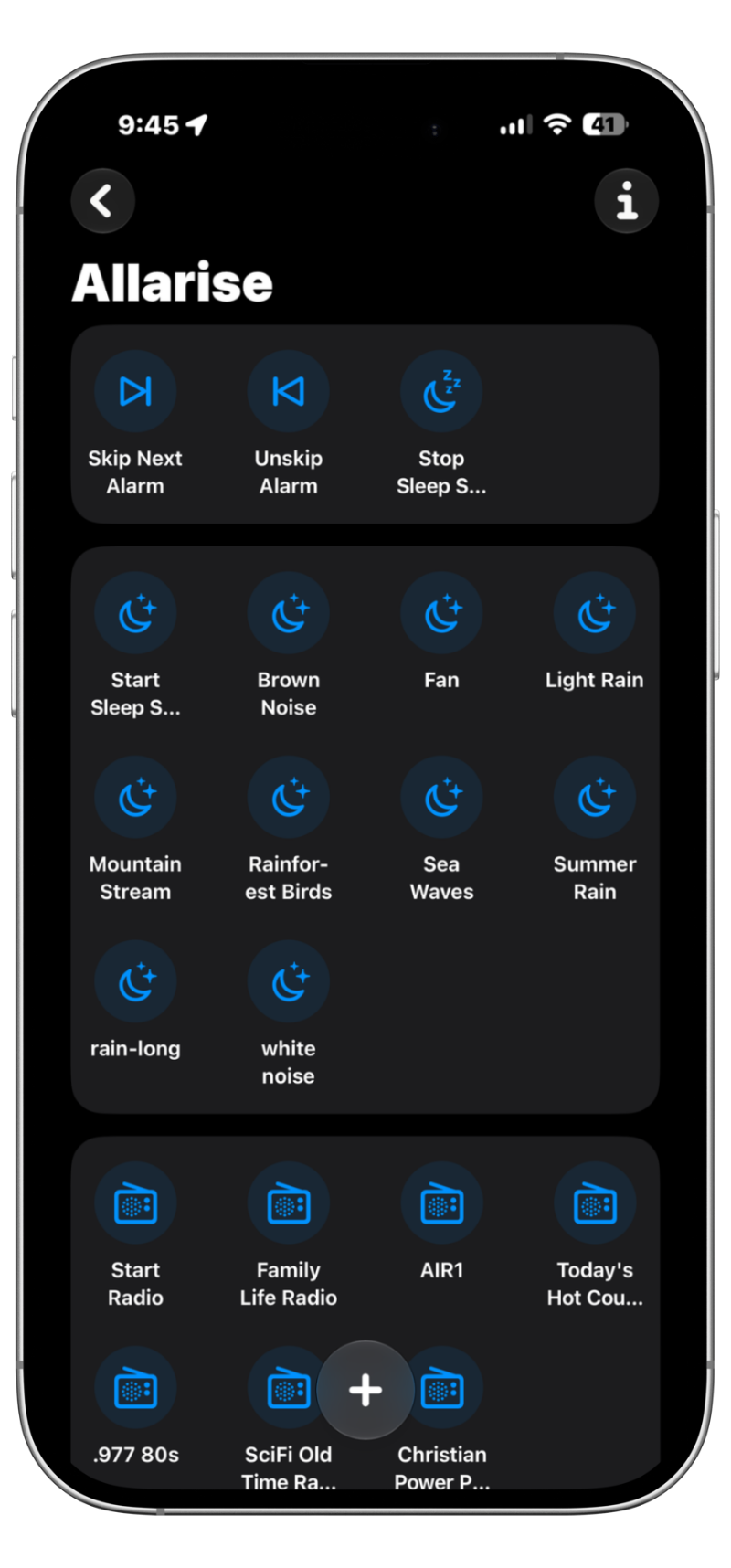
Sleep Sounds & RadioStart, stop, or switch between different sleep sounds including white noise, ambient sounds, or a favorite radio station.
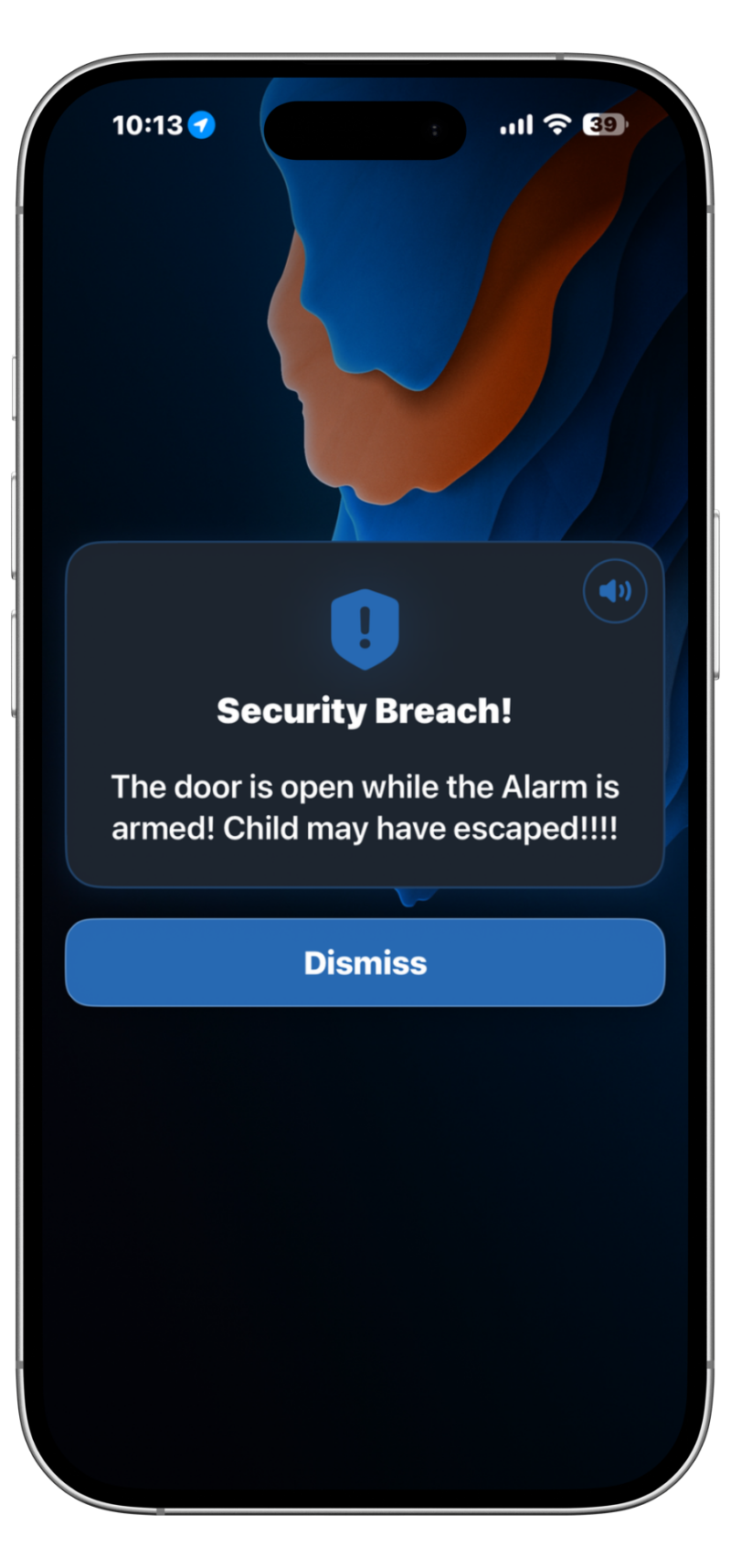
Security Alarm & Command WidgetArm or disarm a security zone from the Allarise home screen. The armed state is a sensor HA automations can use to check the security status of a zone. Optionally assign command buttons to the widget that can be clicked to run other automations.
CommandsCreate Commands like “Lights Off” or “Start Coffee”. Each command is a sensor added to HA that can be used as a trigger to run an automation.
New to the integration?Set it up with HACS in four steps
Open →
Home Assistant Integration

Connect Allarise to Home Assistant.

Via HACS (recommended)

  1. In Home Assistant, go to HACS → Integrations → ⋮ → Custom repositories
  2. Add https://github.com/domoretechnet/allarise-hacs and select Integration as the category
  3. Find Allarise in the HACS store and click Download
  4. Restart Home Assistant
One integration per domain. Install the allarise-hacs integration in HACS. It uses the allarise domain, so if you already have another Allarise integration installed, remove it first. HACS cannot install two integrations that share the same domain.

Manual install

  1. Copy custom_components/allarise/ into your HA config/custom_components/ directory
  2. Restart Home Assistant
HACS must be installed in your Home Assistant instance. If you haven't set it up yet, visit hacs.xyz for installation instructions.

Allarise talks to Home Assistant through an MQTT broker. If you don't have one yet, install Mosquitto first, then create a dedicated user for the app so it's restricted to only the topics it needs.

Step 2a — Install the Mosquitto broker

Already have an MQTT broker running? Skip to Step 2b. Otherwise, install the Mosquitto broker app (formerly known as an add-on):

  1. In Home Assistant, go to Settings → Apps → Install app
  2. Find the Mosquitto broker app and click it
  3. Click INSTALL, then follow the instructions in the app's settings to finish setting up the broker

Stuck on MQTT? The Home Assistant Discord is a great place to get help setting it up.

Step 2b — Create a dedicated user

Open Settings → Add-ons → Mosquitto broker → Configuration and add a login under the logins key:

Save and restart the Mosquitto add-on after making this change.

In the Allarise iOS app, go to Settings → Home Assistant Integration and turn it on, then tap MQTT Settings. The app separates broker configuration into two sections — one for when you're on your home network, and one for when you're away.

MQTT Identity

Turn on Allow Inbound Commands. This is what makes the integration two-way. Without it, Allarise will publish state to Home Assistant but won't accept any inbound commands — no alarm creation, no alerts, no remote actions. Make sure this is enabled or you'll only get half the integration.

Internal Broker — used on home WiFi

Your Mosquitto broker running locally on Home Assistant. Plain connection, no TLS, traffic stays on your LAN.

External Broker — used away from home

Used when not on a home WiFi network. The app always enforces TLS for external connections. You'll need port 8883 forwarded on your router and pointing to your Home Assistant machine.

If you only use Allarise at home, you can leave the External Broker fields blank entirely.

Authentication

The same username and password are used for both brokers.

Home WiFi Networks

Add your home WiFi network name(s) so the app can decide when to use the internal broker instead of the external one. Broker selection is designed to switch automatically when you leave or return home, based on the network information available to iOS.

  1. Tap Add Network
  2. Type your network name exactly, or tap Use Current Network to fill it in automatically
  3. Repeat for any additional home networks (e.g. separate 5 GHz and 2.4 GHz SSIDs)
WiFi name detection requires Location permission on iOS. This is only used to read the network name — the app does not track your location.

Test your connection

Once all fields are filled in, tap Test Connection in the Authentication section. A green "Connected!" indicates the app was able to reach your broker at the time of the test.

  1. Go to Settings → Devices & Services → Add Integration
  2. Search for Allarise and select it
  3. Enter the Device Name and MQTT Topic Prefix — these must exactly match what is set in the Allarise app
Defaults: Device Name = iPhone · Topic Prefix = allarise. You can add multiple devices by adding one integration entry per phone.

Already connected?

Every sensor, button, switch, service and MQTT topic the integration exposes is listed in the entity reference.

Open entity reference →

Ready to build payloads?

Use the MQTT Payload Builder to generate and test commands before wiring up your automations. Covers every supported topic and action.

Open MQTT Builder →
Home Assistant · Reference

Every entity, service and topic.

What the integration exposes once it is connected. If you have not set it up yet, start with the setup guide.

What Allarise publishes

Everything the app reports into Home Assistant. Each phone publishes a dashboard that works as a central hub, plus its own page for every alarm you create. (Home Assistant calls both of these "device pages.") The sections below match the headings Home Assistant shows: Controls, Sensors and Buttons on the dashboard, then one page per alarm.

Dashboard controls

The switches, selects and sliders your phone shares, everything Home Assistant lists under Controls on the dashboard.

Alerts

Configure how the phone behaves when Home Assistant sends an alert.

Sleep sounds

Sleep sounds and internet radio are one audio source: one plays at a time, and Sleep Volume sets the level of whichever is playing.

App Persistence

Whether the app stays awake in the background to receive commands.

App Persistence gates remote control. If persistence is off (or Dynamic while the app is asleep), the app cannot receive commands from Home Assistant. A command sent while it is asleep is missed, not saved for later, and the App Persistence Mode control itself shows as unavailable. A radio-station alarm rings its backup tone instead of the station. Your alarms still fire either way. Persistence only decides what the app can do around them.

Zones

Shared arm and disarm states from the home-screen Alarm Widget, one switch per zone.

Dashboard sensors

Everything Home Assistant lists under Sensors on the dashboard.

Active alarm

The alarm ringing now or next due, its counts, and how the night went.

Alert status

Current settings and level for HA alerts.

Quick Alarm

One-shot alarms created on the fly.

Sleep sounds

What audio is playing and how loud.

App and connection

Whether the phone can be reached, and what it is running.

Commands

Your custom commands and the last one fired.

Buttons

One-press buttons, grouped by Home Assistant under Configuration. The dashboard buttons act on the alarm ringing now (or the next one due). Each alarm's own page also carries its own buttons: Dismiss, Snooze, Skip, Unskip, Kill Snoozed and Delete.

Each alarm's page

Every alarm you create gets its own page in Home Assistant, carrying Name, Enabled, State, Fire Time, Snooze Fire Time, Days, Mission, Missions, Mission Count, Tap Dismiss Mode, Sound, Snoozes, Volume, Vibrate, Fade In, Notes, Sort Order, Commands, the swipe-gesture commands, Morning Weather, Radio Station, and the dismiss and snooze app links.

Offline behavior

With App Persistence on Dynamic (the default), the app sleeps for most of the day. So "offline" is the normal state between alarms, not a fault, and Home Assistant handles it cleanly. When an entity shows as unavailable, it means the phone cannot be reached right now, not that something is broken.

  • State sensors hold their last values. Alarm names, fire times, days, sounds, missions, enabled state and the dashboard sensors keep reporting what the phone last sent instead of going unavailable. A sensor that has never had a value stays unavailable.
  • App Online tells you if the phone can be reached. Use the App Online binary sensor whenever an automation needs to know for a fact it'll reach the phone on the other end.
  • Action entities go unavailable while offline. Buttons, switches (including per-alarm Enabled), selects (including App Persistence Mode), numbers, the notify entity and the alert media player all need a phone that can receive them, so they show as unavailable until the phone reconnects.
  • A Home Assistant restart never loses your alarms. Alarm pages and their data rebuild from retained MQTT, so a restart at 2pm still shows every alarm, not blank entities.
  • Reconnecting refreshes everything. States catch up within about a second of the app coming back.
Want to know when the phone is asleep? Watch App Online. The other sensors keep their last values while the app sleeps, so they never switch to unavailable just because the phone did. An automation that waits for a sensor to go unavailable will wait forever. Trigger on the App Online sensor instead, or check it before sending the app a command.

Controlling alarms

Act on an alarm from an automation or script. For one-tap dashboard actions, use the buttons and controls published above - these are the services behind them, plus the ones that change how an alarm is configured.

allarise.dismiss

Dismiss the currently ringing or snoozed alarm.

allarise.snooze

Snooze the currently ringing alarm.

allarise.skip

Skip the next fire of the next upcoming alarm.

allarise.update_alarm

Modify an alarm by index or name. All fields except device_name are optional — only the fields you include will be changed. Building an advanced alarm (missions, after-alarm actions, radio)? The MQTT Builder composes the full command for you and can test it live on your phone.

Missions

An alarm can require up to five missions in sequence. Use missions to set the whole chain — each entry is either a type name or an object with its own settings:

mission on its own clears the rest. Sending mission: math to an alarm that has three missions leaves it with math and nothing else — "set this alarm's mission" is taken literally, and it's what the Mission sensor reports back. To change one mission on a multi-mission alarm, send the full missions list.

Notes page

notes replaces the text on the after-alarm Notes page. append_notes adds a line instead — prefixed HA: and divider-separated — so a routine can build a briefing up over several steps without re-sending the whole note:

allarise.create_alarm

Create a new alarm from an automation - only time is required, everything else follows the app defaults. Set ephemeral: true for a one-shot Quick Alarm that deletes itself after firing (it gets no per-alarm HA entities, but shows in the Quick Alarm dashboard sensors). Building an advanced alarm (missions, after-alarm actions, radio)? The MQTT Builder composes the full command for you and can test it live on your phone.

mqtt_id: name the alarm so re-runs update it instead of duplicating it

mqtt_id is just a nickname you make up for the alarm this automation manages ("gym", "shift_start"). It is how the automation finds its own alarm again later. With one set, the first run creates the alarm and every run after that updates that same alarm in place. Without one, every run creates a brand-new alarm. You never have to look up the index the app assigned.

This is the fix for "Home Assistant keeps creating alarms". Without a nickname, a trigger that fires twice leaves you with two copies of the alarm. Give each alarm your automation owns its own mqtt_id and reuse it forever. Alarms you make by hand in the app are untouched by any of this.
50-alarm ceiling for alarms created from Home Assistant. At 50, create_alarm refuses (and says so in the app's log) instead of adding a 51st, so a runaway automation can never crowd out the alarms you set by hand. Nothing is ever deleted to make room, and alarms made in the app are never counted or refused. If you hit the ceiling, delete the ones you no longer need with allarise.delete_alarm, or add an mqtt_id so repeat runs update one alarm instead of stacking up new ones.

Value limits

create_alarm and update_alarm hold a few fields to the same range the app's own editor offers. A value outside the range is pulled to the nearest end and noted in the app's log — the call still goes through and the rest of your fields still apply, so an automation never fails over one number. Worth knowing so a setting that "did not take" makes sense:

Mixed days lists are read entry by entry. days accepts weekday names or numbers (1 = Sunday), and a list that mixes the two — [1, 2, "3"], say, where one value arrived as text from a template — is now read one entry at a time, so every day you listed is kept. Previously a list like that could be discarded whole, quietly leaving a recurring alarm as a one-time one.

allarise.delete_alarm

Delete an alarm by index or name.

allarise.create_command

Create the custom command buttons the app shows on its home screen and alarm screens. Each command also appears in HA as a fired / idle status sensor, and arm_action can tie a command to your arm zones. Re-creating an existing name updates it in place.

allarise.delete_command

Delete a custom command button from the phone, by name. Matching is case-sensitive.

Alerts on the phone

Three ways to trigger the same in-app alert card: the standard notify action, the allarise.trigger_alert service, or the Alert Media player entity.

Alert Media

Exposes a media player entity that triggers a one-time in-app alert card on the phone — plays your chosen audio or TTS with a dismiss button. Supports play_media, media_announce and volume_set, alongside the Alert Vibrate and Alert Loop Media switches; the current level is reported by the Alert Volume sensor.

Notify

Send an alert to the phone with the notify.send_message action, targeting the Send Alert entity on the Allarise device (its entity id is shown under Settings → Devices → your Allarise device, typically notify.allarise_<device>_dashboard_notify). The data block also accepts image_url, video_url and link_url to attach media or a tappable link to the alert card:

link_url must be an http:// or https:// address. The alert's link button opens in the browser, so those are the only two schemes the phone will offer. A custom app scheme — myapp://, homeassistant:// — is left off the alert card entirely, with a note in the app's log; the rest of the alert still shows, so a missing button is the only symptom. To launch another app, use the per-alarm App Links (dismiss_app_uri / snooze_app_uri), which exist for exactly that and are set up on the phone rather than sent in over MQTT.

allarise.trigger_alert

Request an HA alert on the phone when app and iOS conditions permit.

Alert volume: two number styles

Whichever way you send the alert, its volume field uses one of two number styles. A field named volume is a whole-number percent: 80 means 80%. media_player.volume_set instead uses volume_level, Home Assistant's standard fraction for media players: 0.8 means 80%. Do not copy a number from one style into the other. The Alert Volume slider and sensor always speak percent.

Audio: Sleep Sounds

Sleep sounds (white noise, rain, fan, and so on) and internet radio share one audio player: one of the two plays at a time, starting one stops the other, and Sleep Volume sets the level of whichever is playing.

On the dashboard

Day-to-day control is the dashboard entities:

Status comes back as sensors: Sleep Sound, Radio State, Radio Station, and Radio Stations Available (your favorited stations, as a list automations can read).

From an automation

The selects are ordinary Home Assistant entities, so starting or stopping audio is one select.select_option call (the radio select works the same way with a station name):

The timed options (duration, fade-out, changing sound mid-play) have no service yet, so those publish MQTT directly. Available sounds: Brown_Noise, white_noise, Fan, Light_Rain, Summer_Rain, Sea_Waves, Mountain_Stream, Rainforest_Birds.

Use until_next_alarm: true in sleep_sound_start to have the app attempt to stop white noise when the next alarm fires, without requiring a separate automation.

Alarms can also wake to a station: set radio_station on create_alarm or update_alarm, and the per-alarm Radio Station sensor reports it.

Example automations

Re-enable a work alarm on Sunday evening

Alert phone when front door opens at night

Turn on bedroom lights 5 minutes before alarm

Every alarm's Fire Time sensor is a timestamp sensor, so Home Assistant's Time trigger can point straight at it with an offset. Home Assistant schedules a single callback at exactly the right moment and re-arms it automatically whenever you move the alarm — no polling, no template maths.

Use one alarm's own Fire Time sensor, like the sensor.allarise_YOUR_DEVICE_alarm_1_fire_time in the example, to tie the automation to that specific alarm. The dashboard Alarm Fire Time sensor tracks whichever alarm is next, so it will follow you across alarms: handy for a general "pre-wake" routine, but it also means a nap alarm will trigger it.

Get a nudge when you sleep through an alarm

The Slept Through Today sensor counts the alarms that rang for ten minutes with nobody dismissing or snoozing them (alarms, not rings) and resets at local midnight. It catches up on its own, so an alarm you slept through is counted even if you never opened the app afterwards. Trigger on it rising above zero and read the alarms attribute for the names.

The count is the record, not a replay: a slept-through alarm never re-runs its after-alarm actions (notes, verse, weather, app link) later on. If the alarm carried notes, they stay on the alarm itself. On an older app or an older integration the sensor is simply unavailable or absent, so this automation just never fires; nothing breaks.

MQTT topic structure

All topics follow the pattern {prefix}/{device}/… With default settings, prefix is allarise and device is iphone.

The optional ts field. Any JSON command payload may include ts, the send time in unix epoch seconds, checked on every inbound topic. A command more than 60 seconds old, or in the future (check that you sent seconds, not milliseconds), is logged and not run. Useful on commands where late is worse than never (dismiss, delete, disable); leave it off everything else.

Ready to build payloads?

The MQTT Builder is the test bench for everything on this page: compose a complex command (multi-mission alarms, timed sleep sounds) with dropdowns instead of hand-written JSON, then fire it at your phone to see the result before you build an automation.

Open MQTT Builder →
Support

Frequently Asked Questions

Answers to common questions about Allarise.

General

Allarise is currently iOS only. We may consider expanding to Android in the future.

Allarise is designed to remain active in the background so your alarms can run reliably, respond to inbound MQTT commands, and play at your chosen volume independent of your ringer settings. Because of this, it may use more battery than a typical alarm app.

You can reduce battery usage by turning off background persistence or setting it to dynamic mode in the app's settings. Keep in mind that doing so may limit features like custom alarm volume and Home Assistant integration.

For a full breakdown of what's affected, see the persistence setting inside the app.

Open the app, go to Settings, and tap Purchase | Restore. Make sure you are signed in to the same Apple ID used for the original purchase.

Alarms

Yes — Allarise is designed to play audio through the iOS media/playback channel, which is separate from the ringer switch. This means your alarm can still sound even if your phone is set to silent.

Actual behavior can still vary depending on your device's audio settings.

Focus modes can silence notifications depending on how they're configured. In some cases, this may prevent alarms from sending notifications, but they should still be audible.

To ensure your alarms show notifications, add Allarise as an allowed app in your Focus settings:

  1. Open Settings on your iPhone
  2. Tap Focus
  3. Select the Focus mode you use overnight (e.g. Do Not Disturb or Sleep)
  4. Tap Apps under "Allowed Notifications"
  5. Tap Add App
  6. Select Allarise

This ensures your alarms are allowed to alert you even when Focus is active.

Allarise schedules a system-based AlarmKit backup alarm so your alarm can still fire even if the app isn't running. The backup experience may differ from the in-app alarm mode. For example, alarms will play at your ringer volume. For the full alarm experience — including custom volume, inbound MQTT actions, and more — keep the app running in the background.

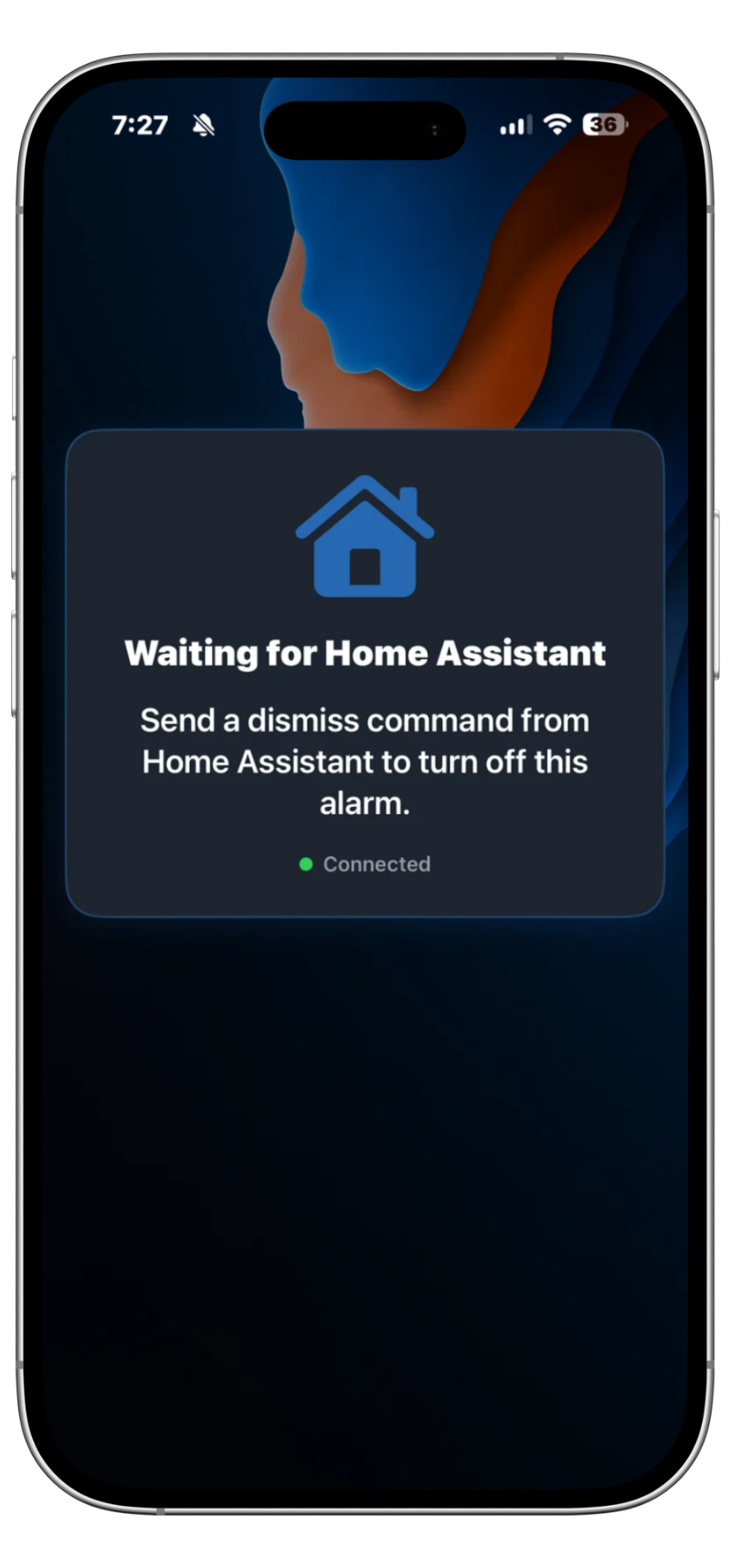
Missions are tasks you must complete before the alarm can be dismissed - so you can't just tap dismiss half-awake and go back to sleep. Options include math problems, a phone shake challenge, clearing lines in Bricks, holding off the wave in Meteor, and handing the dismiss to Home Assistant. Chain up to five before the alarm will let go.

Home Assistant & MQTT

No. Home Assistant and MQTT are completely optional. Allarise is designed to work as a standalone alarm app without any smart home setup.

Allarise is designed to work with standard MQTT brokers over TCP or TLS. Most users run the Mosquitto add-on inside Home Assistant. See the Home Assistant setup guide for step-by-step instructions.

Yes. Each phone uses a unique Device Name as part of its MQTT topic, which helps keep devices separated in normal use. Add one integration entry in Home Assistant per device.

create_alarm creates an alarm each time it is called — so an automation that runs daily leaves a daily pile of them. Give the call an mqtt_id: a name you pick for the alarm that automation owns. The first run creates it, and every run after finds the alarm with that id and updates it instead, so you keep one alarm however often the automation fires.

There is also a ceiling of 50 alarms created from Home Assistant, past which create_alarm declines rather than crowding out the alarms you set by hand. Tidy up with allarise.delete_alarm, and see Controlling alarms for the details.

Yes, at the broker. Allarise acts on any correctly-formed command that arrives on its topics and cannot tell one publisher from another, so the place to draw the line is an MQTT access control list configured at your broker. See the Mosquitto documentation for how to set one up.

Sleep Sounds

Usually, yes. Sleep sounds use the iOS media playback channel and are designed to continue when the screen locks. Lock screen and Control Center playback controls are typically available, subject to iOS behavior.

Yes. When setting up sleep sounds you can choose a stop time — either a fixed time or when your next alarm is set to fire. The app will fade out and stop playback automatically at the selected time.

Reach out and we'll be happy to help.

{{ supportEmail }}
Last updated July 2026 · Policy version 6

Privacy Policy

The short version: Allarise is a local-first app. Your alarms, settings and credentials stay on your device. There are no ads, no sign-in, no advertising identifiers, and we do not sell or share your data with anyone. Two things do leave your device, and only if you switch them on: anonymous usage and crash data, and product-update notifications — both off by default, both switchable off at any time in Settings → Allarise Pro. Everything else is limited to Apple services used by app features (WeatherKit, MapKit, the App Store) and — if you configure it — your own self-hosted Home Assistant / MQTT broker.
What changed in July 2026: the app is now published by DoMore Tech LLC rather than by an individual; optional anonymous usage data and crash reporting were added (see §2.3), along with optional product-update notifications (see §2.7); and the NWS Weather Alerts feature was removed from the current app. Because some users may still be running an older version that includes it, this policy still describes what that feature does with your data (see §2.1).

1. Who We Are

Allarise ("the app") is developed and published by DoMore Tech LLC, a Michigan limited liability company ("we", "us", "our"). DoMore Tech LLC is the data controller for the limited information described in this policy. This policy describes how the app handles your information when you use it on your iPhone or iPad.

If you have questions, contact us at {{ supportEmail }}.

2. Data We Collect & Why

2.1 Location (optional)

If you enable the weather widget, the app requests When In Use location access to fetch your local weather conditions. Your coordinates are sent directly to Apple's WeatherKit API — we never see them. Location is not stored on disk and is never sent to our servers.

NWS Weather Alerts (older app versions only). This feature has been removed from the current version of Allarise. Some users may still be running an earlier version that includes it, so its data handling is documented here. In those versions, if you enable NWS weather alerts, your approximate location (coordinates or city / region) is sent to the United States National Weather Service public API (api.weather.gov) to retrieve weather alerts for your area. The NWS is a US government agency; no account is required, and we do not receive or store any data from this exchange. Where present, the feature is opt-in and can be disabled at any time in Settings.

WiFi SSID detection (used to identify your home network for MQTT routing) also requires location permission on iOS. The SSID is stored locally on your device only and is never transmitted to us.

2.2 Alarm & App Settings

All your alarms, schedules, sounds, theme preferences, and app settings are stored only on your device using Apple system storage APIs. This data is not synced to iCloud and is never transmitted to our servers. Sensitive credentials (MQTT username & password) are stored in the iOS Keychain, which is hardware-encrypted on modern devices.

2.3 Anonymous Usage Data & Crash Reports Opt-in

Allarise can send us anonymous usage statistics and crash reports so we can find crashes we cannot reproduce and see which features are actually used. This is off by default. You are asked once, on a screen where nothing is pre-ticked, and you can change your answer at any time in Settings → Allarise Pro → Usage Data & Crash Reports.

Nothing is collected before you say yes. The analytics provider is not merely disabled until then — it is never started at all. If you turn the setting off later, collection stops and we instruct the provider to delete the data already gathered for your device.

Crash reporting rides the same switch, deliberately: a crash report describes your device's state, so it is not treated as exempt from the choice you made.

What an event may contain. Events carry counts, on/off flags, bucketed durations and a fixed list of feature names — nothing you typed. The app is built so that free-form text cannot reach an event: there is no field for it. In particular we never receive:

  • alarm names or labels, or note text
  • custom sound, radio station or wallpaper names
  • Home Assistant entity IDs, zone names, topics or MQTT payloads
  • Shortcut names, locations, contacts, photos, or anything from other apps

A typical event is "an alarm fired and was dismissed after two snoozes", "a mission was completed", or "the paywall was opened from a locked theme". Alongside these we set a small number of device-level properties — whether MQTT is configured, whether the widget is in use, how many alarms exist — so a crash can be read in context.

Analytics and crash data are processed on our behalf by Google (Firebase Analytics and Firebase Crashlytics) and are stored on Google's servers, which are located in the United States. Google acts as our processor. The data is keyed to a random, app-generated installation identifier that is reset when you turn the setting off or delete the app; it is not your Apple Account, your email, your phone number, or your device's advertising identifier.

This is not tracking. Advertising-identifier (IDFV/IDFA) collection and ad personalisation are switched off in the app's configuration, and this data is never linked with data from other companies' apps or websites, never used to build a profile of you, and never sold or shared for advertising. That is why Allarise does not show an App Tracking Transparency prompt — it does not do anything that Apple defines as tracking.

2.4 Home Assistant / MQTT Integration (optional)

If you configure MQTT, the app communicates directly with your own self-hosted broker (typically running inside your Home Assistant instance). We have no visibility into this communication. The data published includes alarm state changes (ringing, snoozed, dismissed), snooze counts, and availability status — nothing personally identifiable beyond what you explicitly configure.

External connections (outside your home network) are enforced to use TLS encryption. Internal (LAN) connections may optionally skip TLS depending on your configuration.

Your MQTT broker is a third-party service you control. Please review the privacy practices of your Home Assistant / MQTT provider. Allarise has no access to your broker's logs or data.

2.5 In-App Purchases

Purchase and subscription management is handled entirely by Apple's StoreKit. We never see your payment details. We only receive a cryptographically verified token from Apple confirming whether a valid purchase exists. No purchase data is stored on our servers.

2.6 Diagnostic Logs

The app writes diagnostic logs to a file on your device to help you troubleshoot issues. Logs are retained for a maximum of 7 days and are capped at ~10 MB. They are never automatically transmitted — you can optionally export them from Settings and share them with us for support. Before export, the app automatically redacts alarm names, MQTT command labels, and notification content.

2.7 Product Update Notifications Opt-in

Allarise can send you occasional notifications about new features and important changes. This is off by default, it is separate from the analytics choice above, and it can be changed at any time in Settings → Allarise Pro → Product Updates. It is not marketing, and it has nothing to do with your alarms — alarm notifications are generated on your device and never involve our servers.

Turning it on registers your device with Apple's Push Notification service and with Firebase Cloud Messaging (Google), which issues a random push token for this installation and subscribes it to a single broadcast topic. We send to the topic, not to you: we have no list of who is subscribed, no way to send a message to one particular person, and we receive no email address, name, or contact details. Turning the setting off unsubscribes the device and deletes the push token, so withdrawal removes the identifier rather than just silencing the messages.

3. What We Never Collect

These hold whether or not you opt in to anything. They are not settings — there is no configuration in which any of the following happens:

Earlier versions of this policy said the app contained no analytics or crash-reporting SDK at all. That is no longer accurate, and we would rather say so plainly than leave it standing: the app now includes them, switched off, and they stay switched off unless you turn them on.

4. Third-Party Services We Use

The app communicates with the following external services, all opt-in where noted:

There are no advertising networks in the app. The three Google services above are the only non-Apple SDKs that transmit anything, they are inert unless you opt in, and each can be switched back off in Settings.

5. iOS Permissions

You can revoke any permission at any time in Settings → Privacy & Security on your device.

6. Data Retention & Deletion

Almost everything the app holds is on your device, where you are in full control:

  • Delete the app — removes all app data, settings, and alarms from your device.
  • Diagnostic logs — auto-purge after 7 days. You can also clear them manually in Settings.
  • Purchase records — managed by Apple's App Store; deleting the app does not affect your entitlements.

The two optional items are the only things held anywhere else:

  • Usage & crash data (only if you opted in) — held by Google on our behalf under Firebase's retention settings; crash reports are retained for approximately 90 days and analytics events for no more than 14 months. Turning it off stops collection and instructs the provider to delete what was already gathered for your device.
  • Push token (only if you opted in) — turning Product Updates off unsubscribes the device and deletes the token.

If you never opted in to either, we hold nothing about you at all and there is nothing for us to delete. If you did and want it removed after the fact — including after deleting the app — email {{ supportEmail }} and we will action it; because the data is not tied to your identity, it helps if you can tell us roughly when and on what device you used the app.

7. Children's Privacy

Allarise is not directed at children under the age of 13, and we do not knowingly collect personal information from children. The app does not require an account, age verification, or any personal details to function. The optional usage data described in §2.3 is not used to build a profile of any user, child or adult, and is never used for advertising. If you believe a child has enabled the optional data settings and you want the associated data removed, contact us at {{ supportEmail }}.

8. Changes to This Policy

If we make material changes to this privacy policy, we will update the "Last updated" date at the top of this page and note the changes in the App Store release notes. Continued use of the app after changes constitutes acceptance of the updated policy.

9. Your Rights

Depending on where you live, you may have rights including access to, correction of, or deletion of personal data, and the right to object to or restrict its processing. Because Allarise keeps almost everything on your device, the practical exercise of these rights is:

  • Access / Export: Your alarms, settings and diagnostic logs are on your device — export them directly from the app's Settings.
  • Deletion: Delete the app to remove all local data, or use Settings to clear specific items. For the optional usage data and push token, see §6.
  • Withdraw consent: Switch Usage Data & Crash Reports or Product Updates off in Settings. Withdrawal takes effect immediately and does not affect any use of your data before you withdrew.

9.1 EEA / UK

Our legal basis for the optional usage, crash and push data is your consent (GDPR Art. 6(1)(a)), obtained before any collection starts and withdrawable at any time as above. We rely on no other basis for it, and declining costs you no functionality. That data is transferred to and stored in the United States by Google acting as our processor, under the transfer mechanisms described in Google's own terms. You also have the right to lodge a complaint with your local supervisory authority.

9.2 California and other US states

We do not sell your personal information and we do not share it for cross-context behavioural advertising, as those terms are defined under the CCPA/CPRA and comparable state laws. We have never done so. The optional usage data described in §2.3 is collected only with your prior opt-in and is used solely to improve the app.

Questions about this policy or how your data is handled?

DoMore Tech LLC

A Michigan limited liability company

{{ supportEmail }}
Last updated July 2026 · Policy version 6

Terms of Use

The short version: These Terms govern your use of the Allarise app and website. Allarise is provided on an as-is and as-available basis, and alarm, notification, audio, and automation behaviour can be affected by iOS, device state, permissions, network conditions, and third-party systems.
Important: Allarise is not a life-safety, medical, or emergency alert system. You remain responsible for maintaining backup wake-up or reminder methods for important events.
What changed in July 2026 — please read before agreeing: the party you are contracting with is now DoMore Tech LLC, a Michigan limited liability company, rather than Bryan Scott Daniel as an individual (§1); two optional features were added — anonymous usage data and crash reports, and product-update notifications, both off unless you turn them on (§16, and §2.3 / §2.7 of the Privacy Policy); and the NWS Weather Alerts feature was removed from the current app. The section governing it (§18) is retained because older versions some users still run may include it.

1. Acceptance of Terms

These Terms of Use ("Terms") form an agreement between you and DoMore Tech LLC, a Michigan limited liability company ("we", "us", or "our"), regarding your use of the Allarise mobile application, related website pages, and any associated documentation or support materials (collectively, the "Service"). Allarise was previously published by Bryan Scott Daniel as an individual; DoMore Tech LLC is now the publisher and is the party to these Terms.

By downloading, accessing, or using the Service, you agree to be bound by these Terms. If you do not agree, do not use the Service.

2. Eligibility and Permitted Use

You may use the Service only in compliance with applicable law and only for lawful purposes. You may not use the Service in a way that interferes with its operation, attempts unauthorized access, or misuses any Home Assistant, MQTT, Apple, or other third-party systems connected to it.

3. App Store and Purchases

The Allarise app may offer paid features, subscriptions, free trials, and one-time purchases through the Apple App Store. Billing, renewals, cancellations, refunds, and payment processing for App Store purchases are handled by Apple and are also subject to Apple's terms and policies.

Pricing, free trial availability, and purchase options may change over time and may vary by region. Current pricing and purchase details are shown in the App Store before you complete a purchase.

Allarise is licensed, not sold, to you for use on Apple devices under the Apple Licensed Application End User License Agreement (the "Apple EULA"). These Terms are in addition to, and supplement, the Apple EULA. If there is any conflict between these Terms and the Apple EULA solely with respect to your App Store license to use Allarise on Apple devices, the Apple EULA controls as to that license; in all other respects, these Terms govern your use of Allarise and our services.

You acknowledge that these Terms are entered into between you and DoMore Tech LLC only, and not with Apple, and that DoMore Tech LLC — not Apple — is solely responsible for Allarise and its content. Apple and Apple's subsidiaries are third-party beneficiaries of these Terms, and upon your acceptance of these Terms, Apple will have the right (and will be deemed to have accepted the right) to enforce these Terms against you as a third-party beneficiary.

4. Alarm, Notification, and Integration Disclaimer

Allarise is designed to help you schedule alarms, play audio, present notifications, and optionally exchange alarm state and commands with Home Assistant or MQTT systems. However, these features depend on factors outside our control, including:

  • iOS behaviour and future operating system changes
  • notification permissions, Focus modes, mute and audio settings, and background execution policies
  • device power state, storage, connectivity, and hardware or software faults
  • your Home Assistant setup, MQTT broker, network, router, DNS, certificates, and other third-party systems

We do not guarantee that alarms, backup notifications, sleep sounds, media playback, MQTT commands, automations, or integrations will always occur on time, without interruption, or in every device state.

You are solely responsible for using appropriate backup methods for any important wake-up, reminder, scheduling, or time-sensitive use case.

Not for medical, health, life-safety, or emergency use. Allarise is a general-purpose consumer alarm, reminder, and audio app. It is not a medical device, is not FDA-cleared or approved, and is not designed, intended, tested, or warranted for medical, health, clinical, life-safety, emergency, or other safety-critical purposes. You must not rely on Allarise for medication reminders, medical treatment or monitoring, caregiving, operation of vehicles or equipment, or any other purpose where a missed, delayed, silent, early, or incorrect alarm, sound, or notification could contribute to personal injury, death, or property, financial, or other loss. For any such purpose you must use a dedicated, purpose-built system and always maintain independent, redundant backup methods (such as a separate physical alarm clock). To the maximum extent permitted by applicable law, you knowingly and voluntarily assume all risk arising from any use of Allarise for these purposes.

5. Third-Party Services

The Service may rely on or interact with third-party services and platforms, including Apple services, Google Firebase (only where you have opted in to the features described in Section 16), Home Assistant, MQTT brokers, GitHub, and other linked websites or tools. We do not control and are not responsible for the availability, content, policies, security, or performance of third-party services.

6. Privacy

Your use of the Service is also subject to our Privacy Policy, which describes how the app handles information and device-stored data.

7. Intellectual Property

The Service, including its software, design, text, graphics, trademarks, and other content provided by us, is owned by DoMore Tech LLC or its licensors and is protected by applicable intellectual property laws. These Terms do not transfer ownership of any intellectual property rights to you.

8. Feedback

If you choose to send us feedback, suggestions, ideas, or feature requests, you grant us the right to use that feedback without restriction or compensation to you, except where prohibited by law.

9. Termination

We may suspend, limit, or terminate access to any website portion, support channel, or hosted feature of the Service if reasonably necessary for maintenance, security, legal compliance, abuse prevention, or breach of these Terms. Sections that by their nature should survive termination will continue to apply.

10. Disclaimer of Warranties

To the maximum extent permitted by applicable law, the Service is provided "AS IS" and "AS AVAILABLE", with all faults and without warranties of any kind, whether express, implied, statutory, or otherwise.

We disclaim all implied warranties, including merchantability, fitness for a particular purpose, non-infringement, and any warranties arising from course of dealing or usage of trade. We do not warrant that the Service will meet your requirements, achieve any intended result, operate uninterrupted, remain available, be error-free, or be compatible with any particular device, operating system version, app, automation, broker, or third-party service.

11. Limitation of Liability

To the maximum extent permitted by applicable law, DoMore Tech LLC and its suppliers will not be liable for any indirect, incidental, special, consequential, exemplary, or punitive damages, or for any loss of profits, revenue, data, business, goodwill, opportunity, or use, arising out of or related to the Service.

This includes, without limitation, claims relating to missed alarms, delayed alerts, failed notifications, failed Home Assistant or MQTT automations, sleep sound interruptions, device misconfiguration, or third-party service failures.

To the extent liability cannot be excluded, our total liability for all claims arising from or related to the Service will be limited to the greater of (a) the total amount you paid for Allarise in the twelve months before the event giving rise to the claim, or (b) USD $20.

12. Governing Law and Venue

These Terms are governed by the laws of the State of Michigan, United States, without regard to conflict of law rules, except to the extent consumer protection laws in your place of residence apply and cannot be waived.

To the fullest extent permitted by applicable law, any legal action or proceeding arising out of or relating to these Terms or the Service shall be brought exclusively in the state or federal courts located in the State of Michigan. You consent to the personal jurisdiction of, and venue in, those courts and waive any objection based on inconvenient forum, except where applicable law gives you a non-waivable right to bring or defend a claim in the courts of your place of residence.

13. Dispute Resolution

Informal resolution first. If you have a concern or dispute regarding the Service, you agree to first contact us at {{ supportEmail }} and work with us in good faith to resolve it informally. Many disputes can be resolved this way. If the dispute is not resolved within 30 days, either party may pursue formal legal action, subject to the governing law and exclusive Michigan venue set out in Section 12.

14. Changes to These Terms

We may update these Terms from time to time. If we make a material change, we will update the "Last updated" date on this page and may provide additional notice where appropriate. By continuing to use the Service after revised Terms become effective, you agree to the updated Terms.

15. Severability and Waiver

If any part of these Terms is found unenforceable, the remaining provisions will remain in full force and effect. Our failure to enforce any provision of these Terms is not a waiver of that provision or any other provision.

16. Optional Data Collection and Product Update Notifications

Allarise offers two optional features that involve data leaving your device: anonymous usage data and crash reports, and product update notifications. Both are off by default, both are presented to you without a pre-selected answer, and both can be switched off at any time in Settings. Declining either does not limit any other functionality of the Service and is not a condition of using it.

What each collects, who processes it, how long it is kept, and how to have it deleted are described in our Privacy Policy, which forms part of these Terms.

You agree not to submit through these features, or through any support channel, information you do not wish us to receive. The usage-data feature is designed so that text you author in the app (alarm names, notes, station and entity names) cannot be transmitted; you should nevertheless avoid placing sensitive information in fields you then export or send to us for support.

17. Changes to Features

Allarise is under active development and features may be added, changed, or removed between versions. In particular, the NWS Weather Alerts feature described in earlier versions of these Terms has been removed from the current app and is no longer offered in it. Because older versions that some users continue to run may still include it, the section governing that feature — including its disclaimers — is retained as Section 18 and continues to apply to those versions. Nothing in these Terms obliges us to provide, maintain, or continue any particular feature, and no feature removal entitles you to a refund except as required by applicable law or Apple's App Store policies.

18. NWS Weather Alerts Feature (Legacy Versions)

Applies to older app versions only. The NWS Weather Alerts feature has been removed from the current version of Allarise. The following governs its use in earlier versions that some users may still be running.

Where present, Allarise's NWS Weather Alerts feature polls the United States National Weather Service (NWS) public API (weather.gov) for active severe weather alerts near locations you configure. This feature is available only to users in the United States.

This feature is provided strictly on an experimental, as-is basis and is subject to all disclaimers and limitations in these Terms, including Section 10 (Disclaimer of Warranties) and Section 11 (Limitation of Liability).

In addition, you expressly acknowledge and agree that:

  • The NWS API is a third-party United States government service. DoMore Tech LLC does not operate, maintain, or have any control over the NWS API and is not responsible for its availability, accuracy, or content.
  • Alert delivery depends on NWS API availability, polling frequency, internet connectivity, device state, app execution state, and other factors outside our control. Alerts may be delayed, missed, duplicated, or incorrect.
  • This feature must not be used as your sole or primary source of emergency weather information. You must always rely on official government emergency alert systems, Wireless Emergency Alerts (WEA), NOAA Weather Radio, broadcast media, and other authoritative sources for emergency preparedness and response.
  • DoMore Tech LLC will not be held liable for any harm, loss, injury, or damages of any kind resulting from your reliance on, or failure to receive, NWS alerts delivered through this feature.

In the versions that include it, use of this feature requires your in-app agreement to these terms via the disclaimer toggle in Settings before the feature can be enabled.

Questions about these Terms?

DoMore Tech LLC

A Michigan limited liability company

{{ supportEmail }}
© 2026 Allarise